

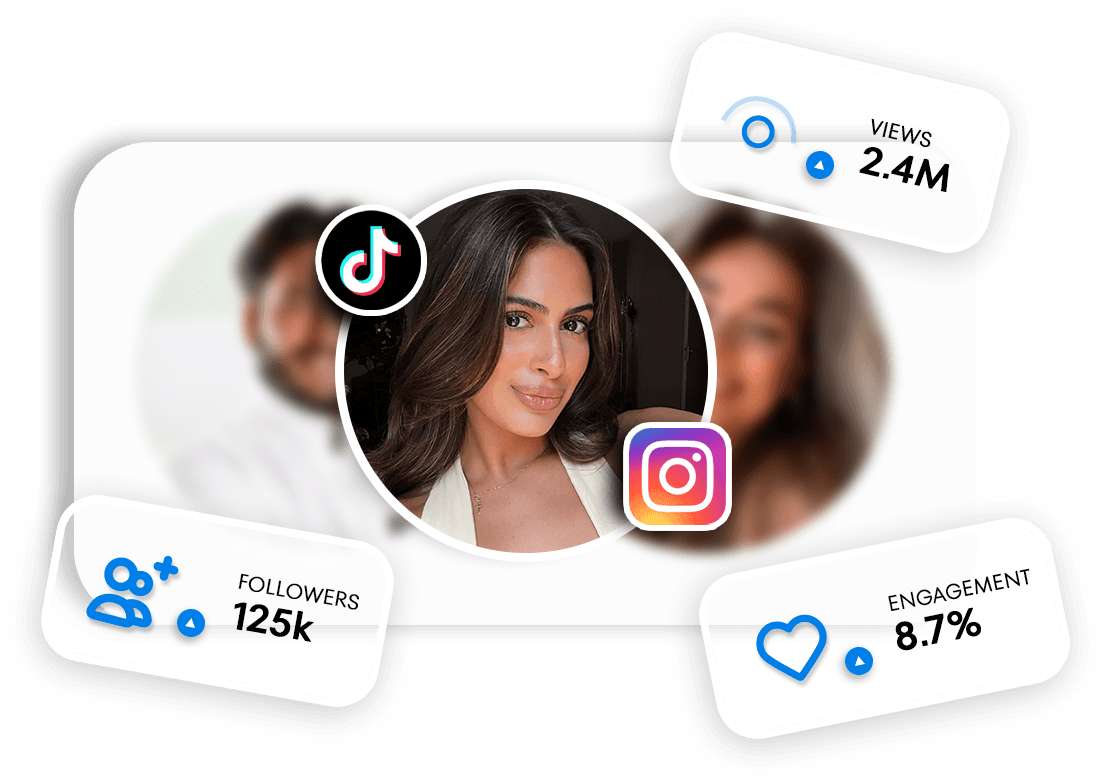
A great UGC video starts with the right creator. Until now you mainly chose based on portfolio, reviews and price. From now on you also see how a creator's content performs organically on TikTok and Instagram: how many views a post gets on average, how engaged the followers are and who those followers are.
In this blog you'll read what organic performance is, what you see on a creator profile, how to find creators with the new filters and how add-ons help you get more out of your video.
TL;DR
- On a creator's profile, Organic performance shows views, engagement, latest posts and, for Instagram, the audience.
- In Find creators you filter by platform, followers, average views per post and engagement (ERV).
- With the Organic post add-on, the creator also posts the video on their own TikTok or Instagram account.
- With Spark & Partnership Ads you run ads with the video from the creator's account.
- Posting a job? Then you request the add-ons there and the creator sets the price in their proposal.
What is organic performance?
Organic performance shows how a creator's posts perform without ad spend. Creators connect their TikTok and/or Instagram account to UGC.NL for this. We fetch the numbers automatically every day, so you always look at recent data instead of a screenshot from months ago.
The difference with Ad performance: there you see how a creator's videos perform as ads. Organic performance is about the creator's own account, so the reach and engagement of their own followers.
What do you see on a creator's profile?
Open a creator profile and choose the Organic performance tab. Per platform you see:
Content performance: the expected CPM (what you pay per 1,000 views), the average engagement per post and the views per post over the last 30 posts.
Account insights: including the number of followers, the reach rate and how often the creator posts.
Latest posts: the most recent videos, with the views and ERV per post.
Audience: for Instagram, the top countries, top cities and the split by age and gender.
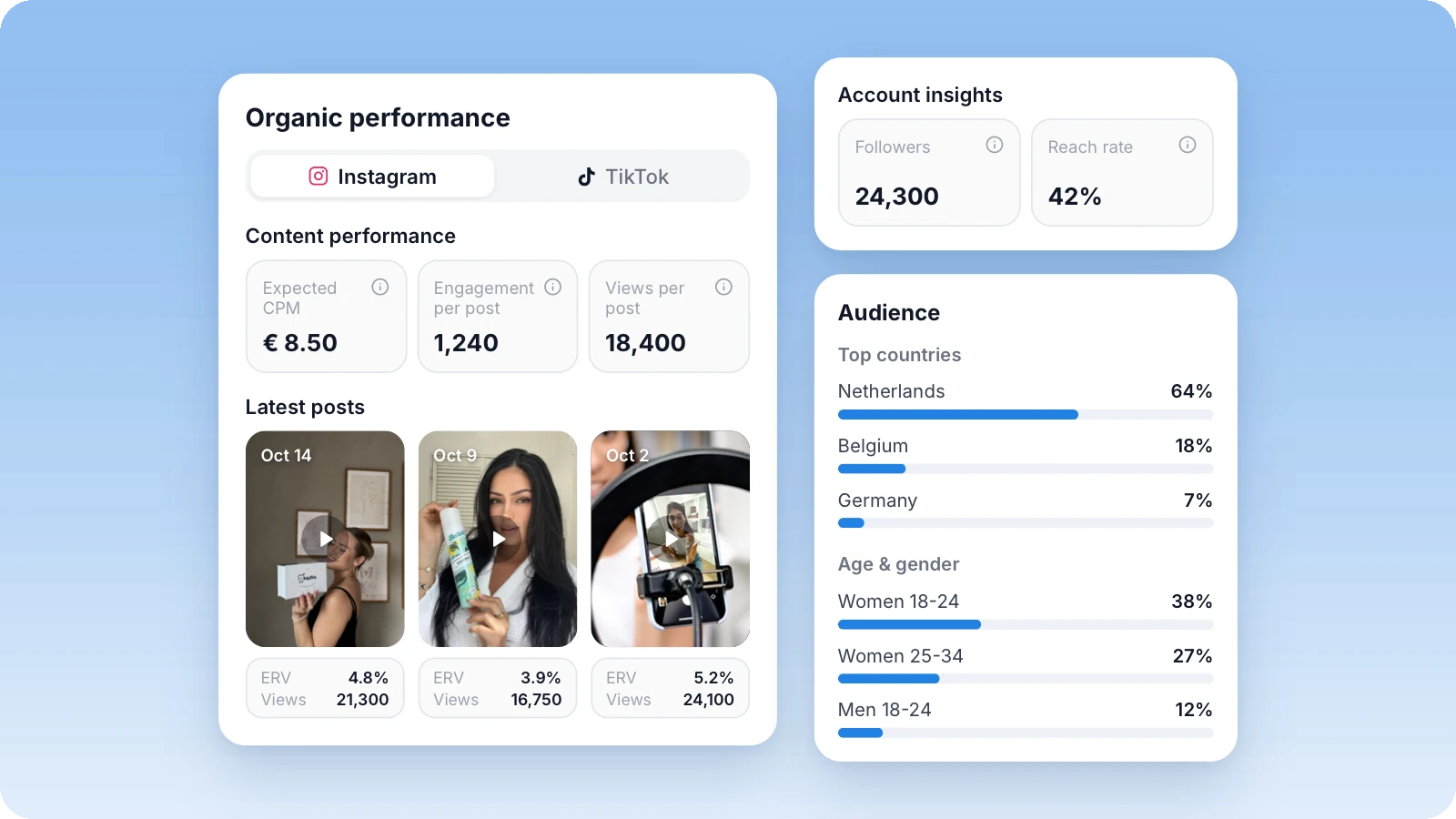
This way you see at a glance whether a creator has an engaged audience that fits your brand. A creator with 15,000 followers and a high ERV can deliver more than an account with 200,000 followers that gets few reactions.
What is ERV? ERV stands for engagement rate by views: the number of interactions (likes, comments, shares and saves) divided by the number of views. It shows how many viewers actually engage with a video.
Finding creators by organic performance
On the Find creators page there's a new filter group: Organic performance. First choose the platform, Instagram or TikTok. Then you set three sliders:
Followers: from 0 to 250k+.
Avg. views per post: up to 50k+ on Instagram and up to 100k+ on TikTok.
Engagement (ERV): up to 10%+ on Instagram and up to 15%+ on TikTok, because ERV on TikTok is usually higher.
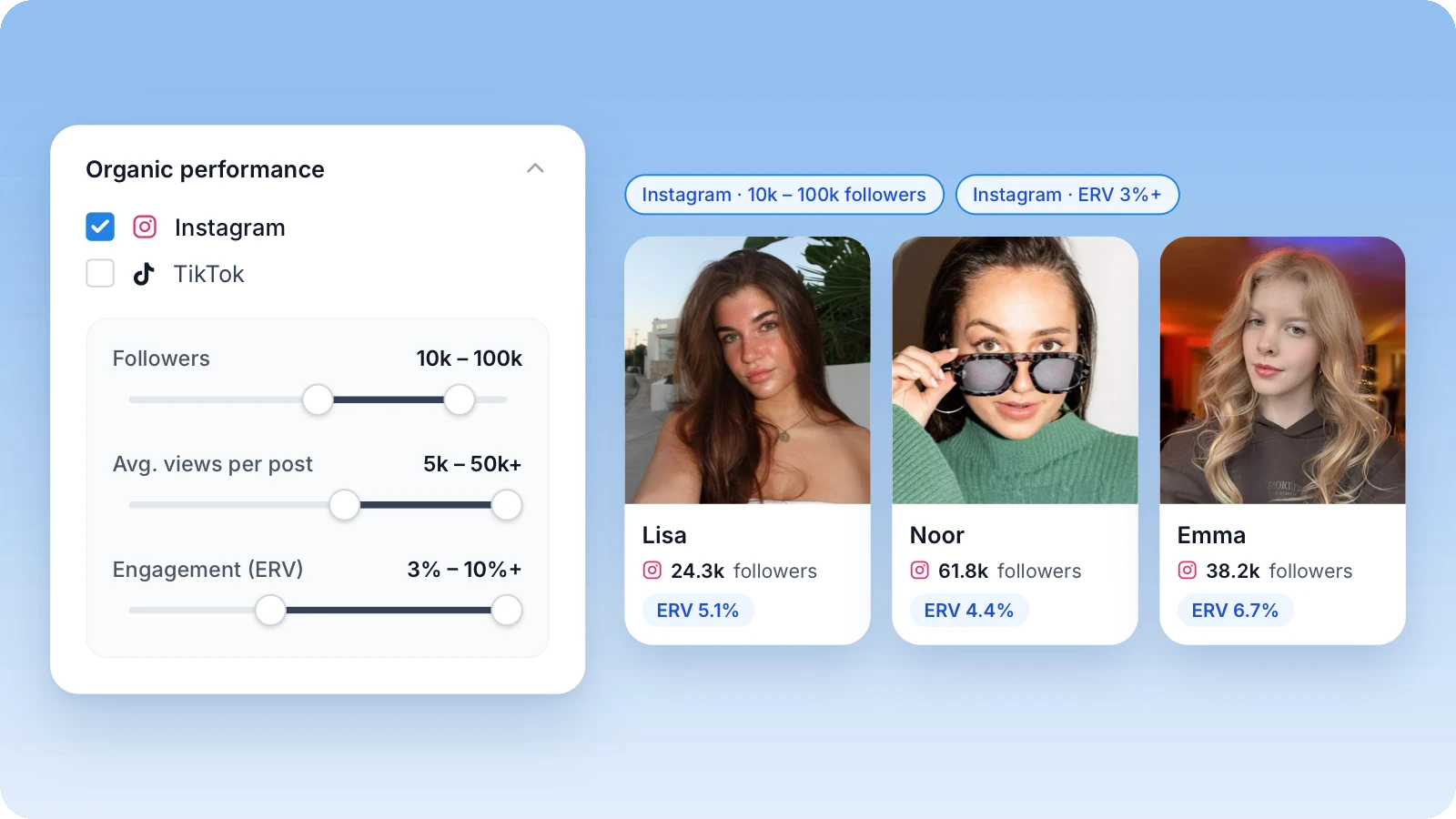
You combine these filters with the existing ones, such as language, country, age, niche, price and content options. For example, you can look for a Dutch-speaking beauty creator with 10,000 to 100,000 Instagram followers and an ERV of at least 3%. Only creators who have connected their account appear in the results.
More reach with the Organic post add-on
Want your video to reach the creator's followers too? Then choose the Organic post add-on when you order. The creator then also posts the video on their own Instagram and/or TikTok account.
The creator posts the video as a story, a feed post or both. The add-on shows how many posts are included.
A feed post stays up for 30 days, 90 days or permanently.
When you order, you provide your own handle and the caption, mentions and hashtags.
After you approve the job, the creator publishes the post and shares the link. You'll find it under Details in your order.
Spark Ads and Partnership Ads: advertising from the creator's account
With Spark Ads (TikTok) and Partnership Ads (Instagram and Facebook) you run ads with the video from the creator's account. Viewers see the creator's name and profile picture, so the ad feels more like a recommendation than an advertisement.
Spark Ads: the creator posts the video on TikTok and shares a Spark Ads code. You use that code to set up the ad in TikTok Ads Manager. The post's caption also becomes the text of your ad.
Partnership Ads: after you approve the job, you see the creator's Instagram account under Details. You send a request and the creator accepts it in the Instagram app. The creator doesn't need to post anything for this.
Duration: 30, 60 or 365 days.
Organic posts and Spark & Partnership Ads are add-ons. You tick them on a package and the price comes on top of the price of the content. The creator decides which add-ons a package includes and what they cost. Posting a job? Then you request the add-ons there and the creator sets the price in their proposal.
Are you a creator yourself? In our blog for creators you'll read how to connect your socials and offer organic posts and Spark & Partnership Ads in your packages.
Find creators by organic performance
See which creators perform organically on TikTok and Instagram. Go to Find creators
Frequently asked questions
Automatically every day, as soon as a creator has connected Instagram and/or TikTok.
That creator hasn't connected an Instagram or TikTok account yet. Only creators with a connected account appear in the organic performance filters.
Spark Ads run on TikTok: the creator posts the video and shares a Spark Ads code. Partnership Ads run on Instagram and Facebook: you send a request to the creator's Instagram account and the creator accepts it. No posting is needed for this.
The creator decides that per package. The price of the add-on comes on top of the price of the content. For a job post, the creator sets the price in their proposal.
Yes. In your job post you tick the add-ons you want, such as an organic post or Spark & Partnership Ads. The creator sets a price for them in their proposal.